Inside Drovm
Follow the earnings, hours and costs behind each shift.
Drovm is built around the decisions delivery workers repeatedly have to make: whether a shift was worth it, what pattern is working, and whether current performance can reach the next goal.
Built for DoorDash and multi-app food delivery. Compare each platform on its own and your workday overall. Customize shift and vehicle labels to match how you deliver.
01Shift tracking
Record your platform, shift label, time, deliveries, earnings, and distance in miles or kilometers. Add notes to remember the details.
02Understand your estimated keep
See Overview separate earnings, distance costs, logged expenses and your chosen tax reserve. Understand each estimate before treating a payout as money available to spend.
03Performance analytics
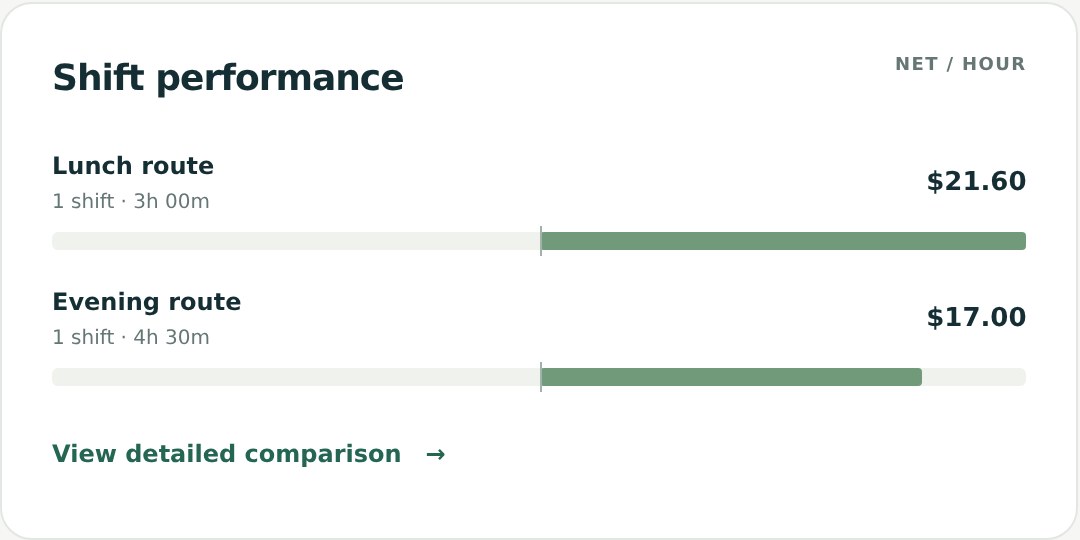
Compare earnings after distance costs per total hour, active hour, and mile or kilometer. Break results down by platform, shift, weekday and vehicle.
04Goals and progress
Set monthly and annual gross earnings targets in your chosen currency. Follow both goal cards on Overview beside your recorded results.
05Cost flexibility
Set fuel or electricity and maintenance estimates per mile or kilometer. Switching distance units preserves your saved costs and net earnings.
06Data warnings
Surface missing or inconsistent inputs so the numbers are easier to trust before they become part of a larger trend.
07Six workspace currencies
Record income in USD, CAD, GBP, AUD, EUR, or NZD. Each currency has its own shifts, expenses, goals, cost estimates, and reports. No exchange-rate conversion.
08Mileage or kilometer log
Enter distance or import it from a screenshot. See totals and net earnings per mile or kilometer across Overview, Shift Log, and Analysis. GPS tracking is not included.
09Screenshot import with review
Read supported English screenshots on your device, without connecting delivery accounts. Check earnings, time, deliveries and distance, then complete missing values before saving.